How to Use Productboard in NetView ĒCO
Discover upcoming NetView enhancements, share feedback, and help HBS Systems better understand which improvements matter most to your dealership.
What is Productboard?
Productboard is HBS Systems’ customer feedback portal built directly into NetView ĒCO. It gives you visibility into selected upcoming enhancements and allows you to vote and comment on the improvements that matter most to your dealership.
Your feedback helps us validate priorities, better understand dealership needs, and continue building NetView around the real-world challenges our customers face.
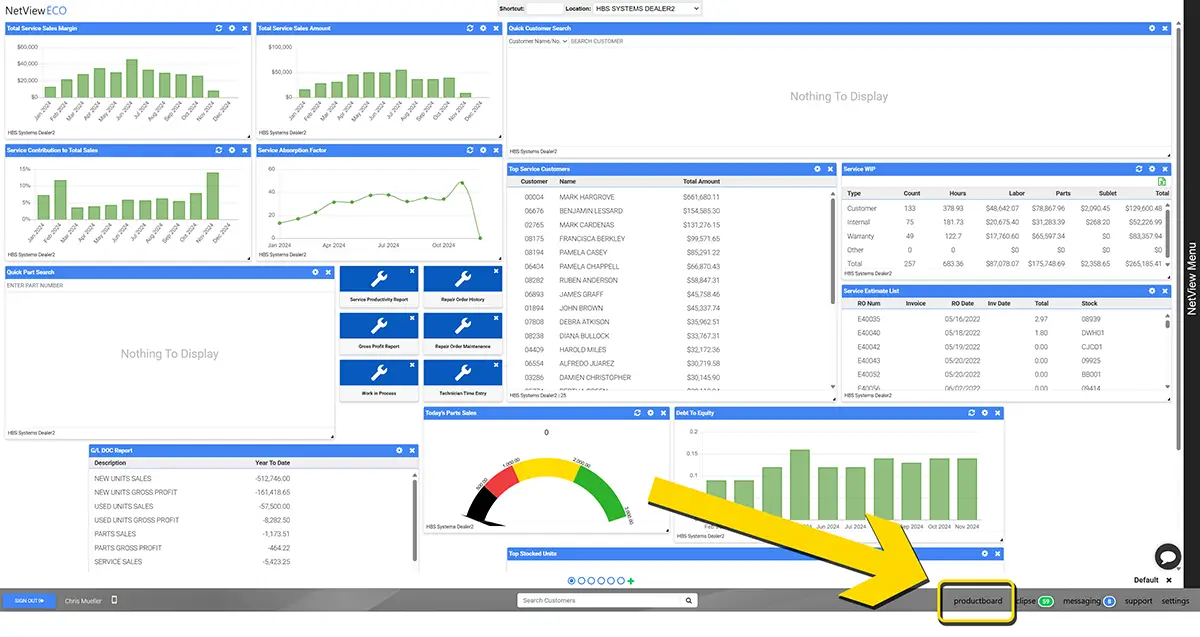
How to access Productboard
You can access the NetView ĒCO Productboard portal right from your dashboard.
Review upcoming enhancements
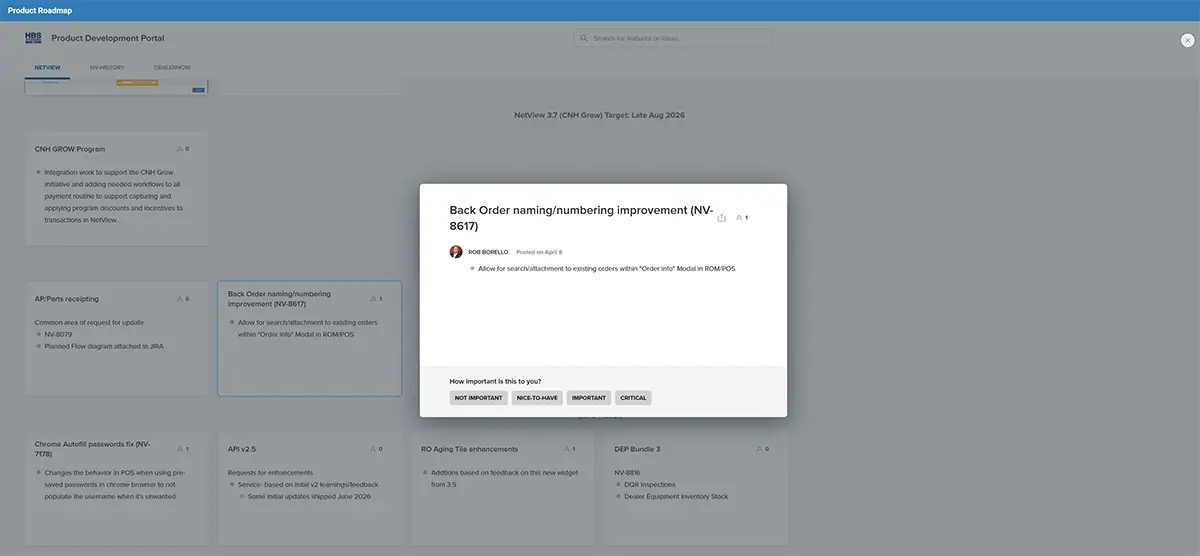
Each Productboard card provides information about a planned feature, improvement, or fix.
HBS typically highlights a manageable number of key items for each upcoming release. These may include enhancements based on previous customer requests, operational needs, or new opportunities to improve NetView.
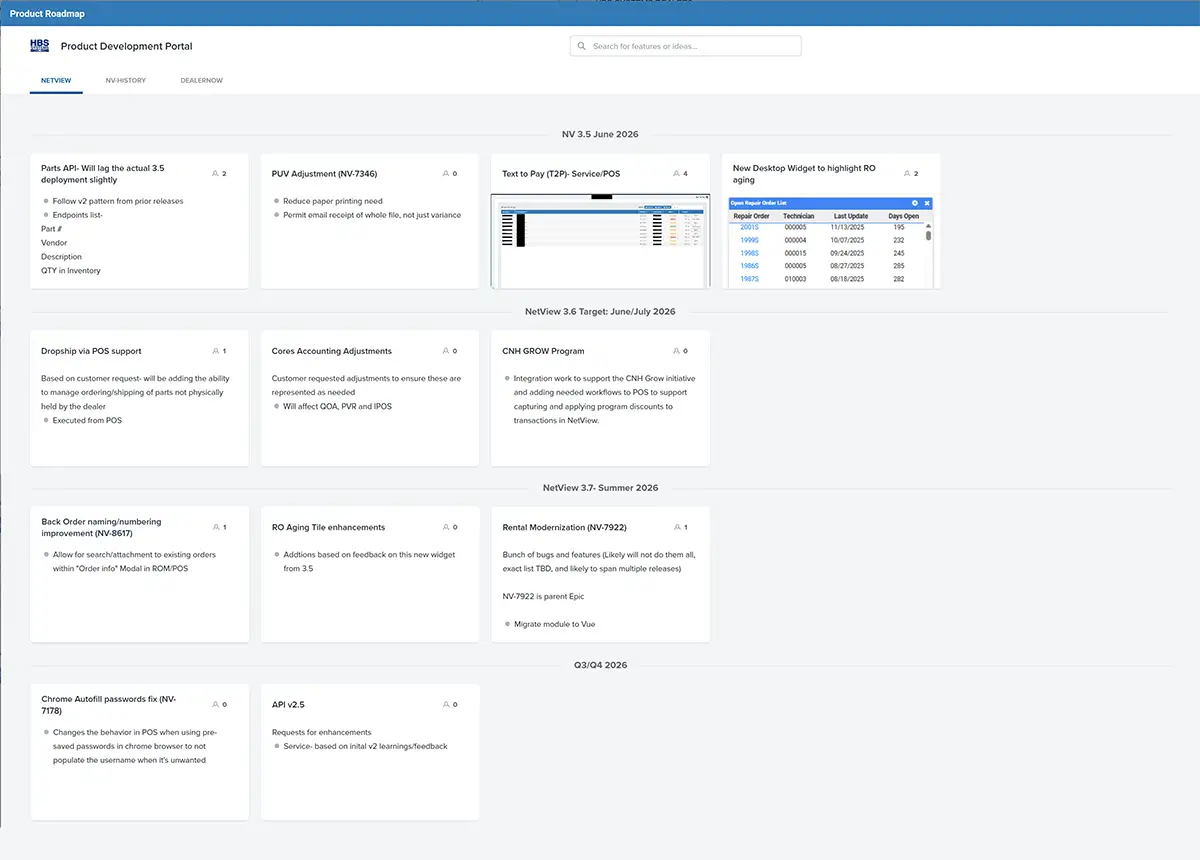
Select any card to learn more about the enhancement, including available details, screenshots, or additional information as development progresses.
Vote on features and share additional feedback
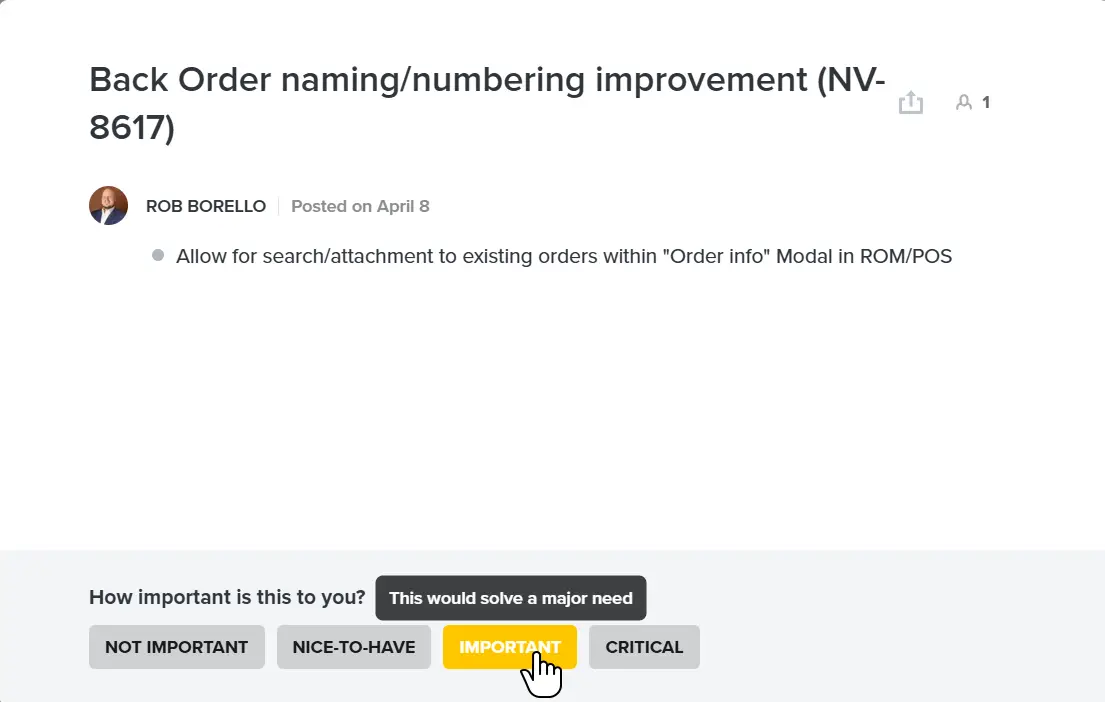
Every Productboard card includes four voting options that let you indicate how important an enhancement is to your dealership.
Your feedback helps HBS better understand customer priorities and validate which enhancements provide the greatest value.
Want to provide more detail?
Every Productboard card also includes a comment section where you can explain how an enhancement would benefit your dealership or share additional suggestions.
Comments are only visible to the HBS team and are never displayed publicly.
Stay up to date
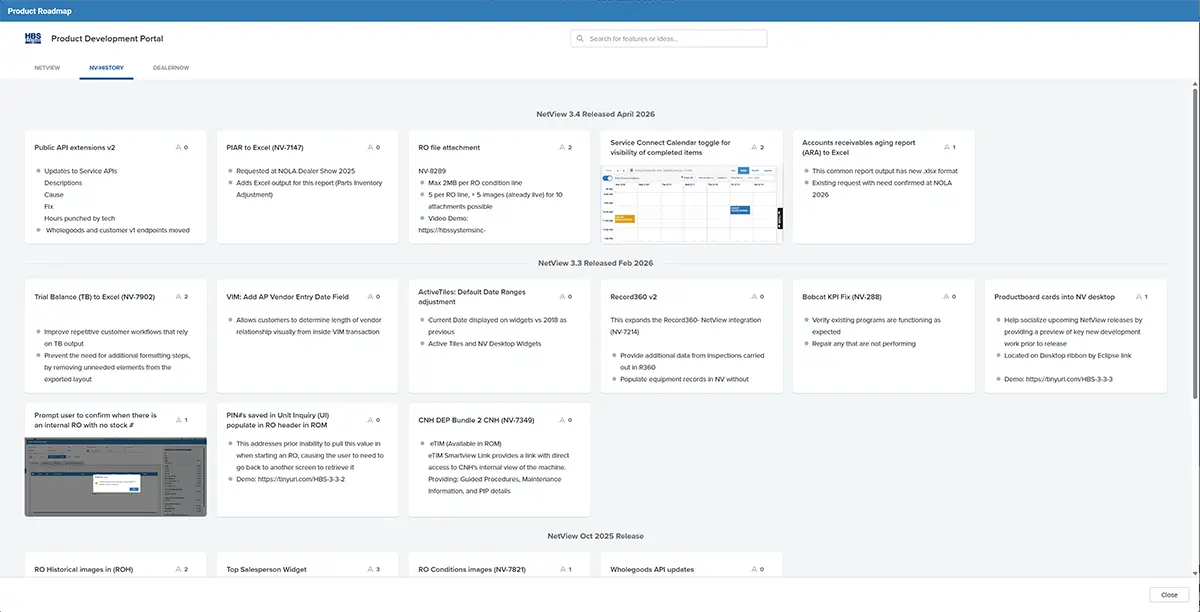
As development progresses, Productboard is updated with additional information, screenshots, videos, and estimated release timing. Once a release has been available for a period of time, it moves to the History section to make room for upcoming releases.
Try it today!
Open Productboard from your NetView desktop and let us know which enhancements matter most to your dealership!
We look forward to your partnership in the coming year and visit this space for regular updates in the future!
If you are a Dealership looking for a dynamic and evolving DMS solution, reach out for more info about HBS Systems’ NetViewEco platform:
HBS Systems is very easy to use and easy to get around in. The custom financials make it easy to look at all 13 locations on one consolidated screen, and if needed, I can look at each location for further analysis.
{
The advancements I’ve seen in just the 1st year at HBS Systems are more than our previous provider did in a 30-year period. Customer support has been really responsive and helpful. I couldn’t be more pleased with my choice to switch to HBS Systems.
{
I’d recommend HBS Systems to any equipment dealer; it’s a great system that saves time, decreases errors, and allows our team to improve upon customer service by providing real-time information within the software.
{
We were impressed with HBS Systems when we made a request specific to our dealership. Their team expedited the programming process to upload a short-notice store addition into the business system. I’d recommend to any dealership to take a look at HBS Systems.
{